

Accounting software for a small service business should connect the work you deliver with the money you invoice, collect and spend. A cleaning business, repair service and consulting practice may all sell services, but their workflows can be quite different.
Start with your billing pattern
Write down whether you charge by the hour, by the job, through recurring visits or against milestones. Then note how you handle deposits, expenses passed on to customers, discounts and changes to the original scope. Your most common billing pattern should be easy to represent accurately.
A business doing one-off repairs may care about a quick invoice and proof of payment. A consultant on a three-month project may need several milestone invoices and a clear view of what remains unbilled. Do not assume that a feature called invoicing handles both workflows equally well.
Separate scheduling from accounting
Scheduling visits, assigning technicians and recording customer messages are operational tasks. Tracking what was billed, paid and spent is bookkeeping. You may use one system for both, but check how the information moves between them. A promised integration is useful only if it transfers the fields you need without creating duplicates.
If you use separate systems, decide which owns the invoice number and customer balance. A calendar entry should not be mistaken for a completed billable job. Establish one point where finished work is reviewed and approved for invoicing.
Test a representative job
| Stage | Question for the software test |
|---|---|
| Quote | Can you describe the scope and retain the agreed version? |
| Advance payment | Can you record it without losing the remaining amount due? |
| Delivery | Can you connect the invoice to the completed work? |
| Direct costs | Can you identify materials or subcontractor charges for the job? |
| Final payment | Can you see that the customer balance is cleared? |
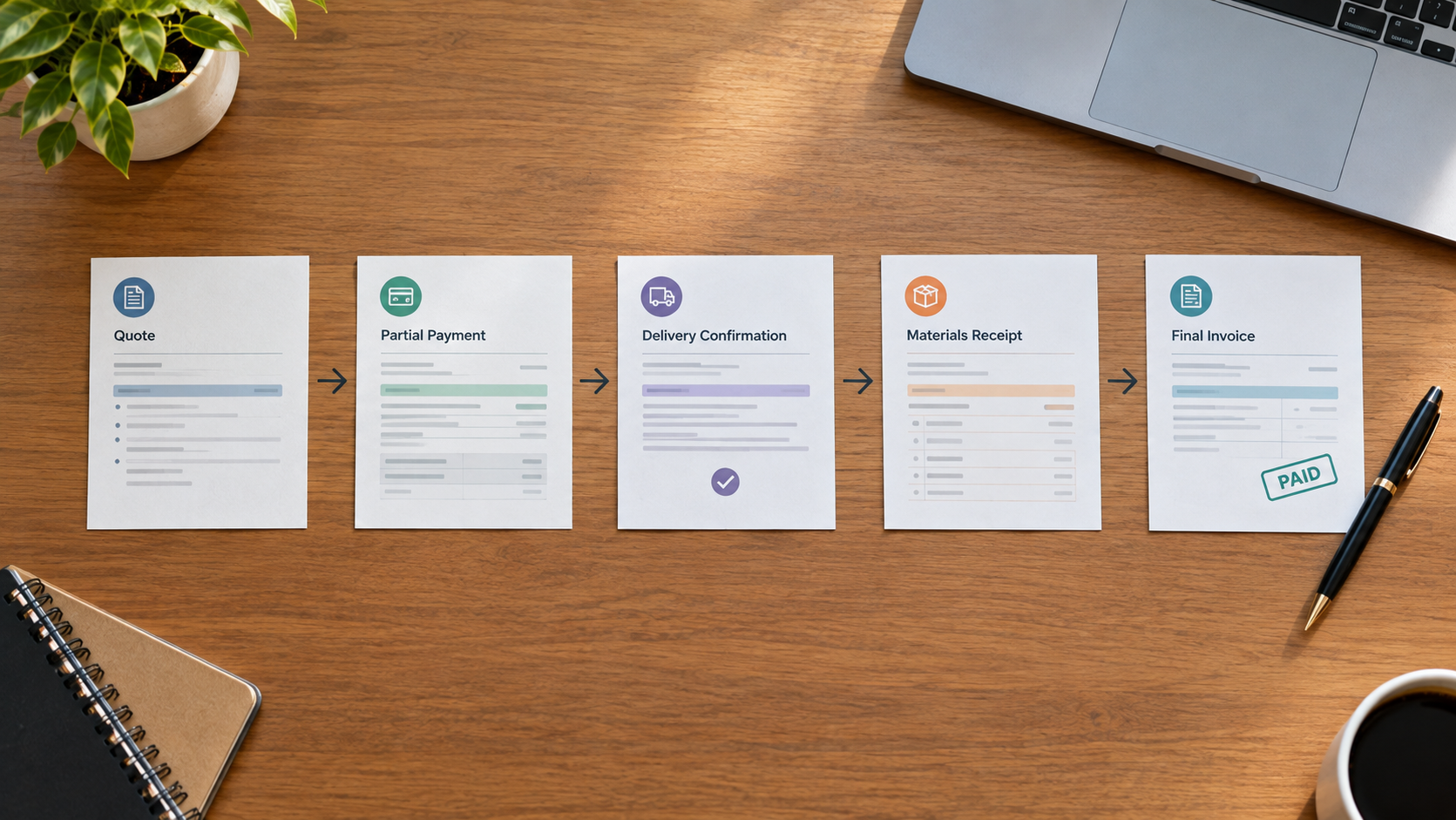
Use hypothetical amounts rather than live customer details in an unfamiliar trial. For example, test a $900 job with a $300 advance and $120 in direct costs. Ask your accountant how advances should be recorded in your circumstances; the workflow test should follow that treatment.
Understand what a job-margin report leaves out
A simple job comparison subtracts directly identified costs from the related revenue. It can help you spot work that consumes too much time or material. It does not automatically include all overhead, unpaid owner time or the timing of cash receipts.
Decide how consistently you can assign costs before paying for detailed job reporting. A sophisticated report built from incomplete job references may be less useful than a simple report maintained carefully. Start with a few categories that influence your pricing decisions.
Check the month-end handoff
Ask the person reviewing your books which reports and transaction details they need. Test the export, including outstanding customer balances and any unresolved items. Clarify whether they need access to the system or only a reviewed report pack.
Also decide who backs up local records and who checks access permissions when staff change. A useful accounting setup includes responsibilities as well as software. Put those responsibilities in a short procedure that another person can follow.
Choose around your recurring work
Select the option that performs your ordinary workflow reliably and at an acceptable total cost. For more budget choices, see our bookkeeping software cost guide. Check the featured desktop listing’s US Windows compatibility and licence terms before purchase. Payroll is not included.

Leave a Reply